


An influencer analytics platform can measure sales, campaign performance or your position against competitors. Those are three different buying decisions. Media value is not revenue, and a promo-code report cannot tell you whether your brand is gaining share of voice.
This guide compares 14 platforms by the question their reports help answer. Streamforge is our first recommendation for campaign reporting connected to creator and audience intelligence, content valuation and competitive context. Evaluate order attribution and commission accounting separately when those are required. Use the table to find the relevant category before comparing dashboards.
Disclosure: Streamforge publishes this guide and is included below. Comparisons draw on publicly available product information; we haven’t tested these tools side by side.
Compare the options
Compare by use case first. Published prices below are in USD, checked September 22, 2026, with billing terms and usage charges noted.
| Platform | Best fit | Pricing or access |
|---|---|---|
| Streamforge | Our first recommendation for campaign reporting, content valuation and competitive context | Discuss your requirements |
| impact.com | Attributing revenue across creators, affiliates and every other partner type | Choose product and scope |
| GRIN | DTC brands that report on affiliate revenue per creator | Free; paid Gia from $200/month |
| Upfluence | Shopify and Amazon sellers tracking sales from codes and gifting | Request a plan |
| Aspire | Ambassador and UGC programs that report on content and sales together | Request a proposal |
| Modash | Shopify programs tracking creator content, affiliate links and payments | From $199/month, billed yearly |
| Traackr | Global brands that manage budgets and benchmark programs across markets | Request pricing |
| CreatorIQ | Multi-brand enterprises that need standardized reporting with governance behind it | Request pricing |
| Later Influence | Consumer brands that want reporting delivered with managed campaigns | Scope software and services |
| Influencity | Teams evaluating Influencity’s campaign and creator reports | Monthly or annual plans |
| HypeAuditor | Benchmarking creators and campaigns with audience quality in the picture | Request pricing |
| Kolsquare | European programs that pair campaign reports with social listening | Compare packages |
| Captiv8 | Enterprises that want listening, campaign analysis and services in one contract | Request a proposal |
| Sprout Social Influencer Marketing | Tying influencer results to the rest of the social program | Request influencer pricing |
Follow a platform name to its review, or a pricing link for current terms.
1. Streamforge
Best for: campaign reporting, content valuation and comparison with named competitors.
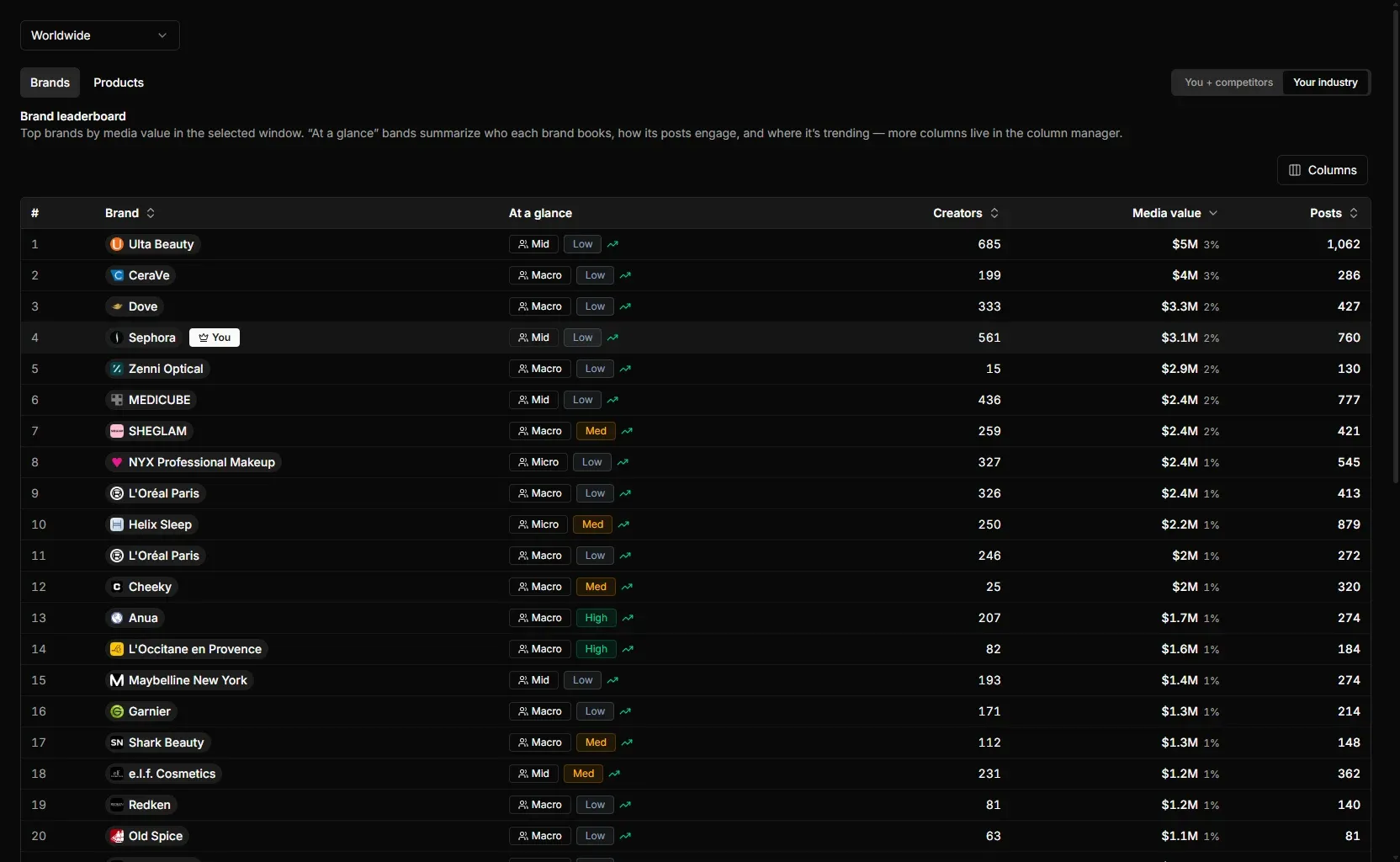
The brand leaderboard ranks every brand in a category by media value over the selected window, with creators booked and posts beside it.
Streamforge is an influencer marketing platform for creator discovery, audience analysis, competitive intelligence, campaign workflow, and data access by API. Campaign reporting sits in Streamforge Workflow next to creator discovery and the campaign itself, and Streamforge Intelligence supplies the market view: competitor rosters, estimated spend, content value and category movement, with sponsored-post activity by brand over time and brand comparisons against industry and competitor averages.
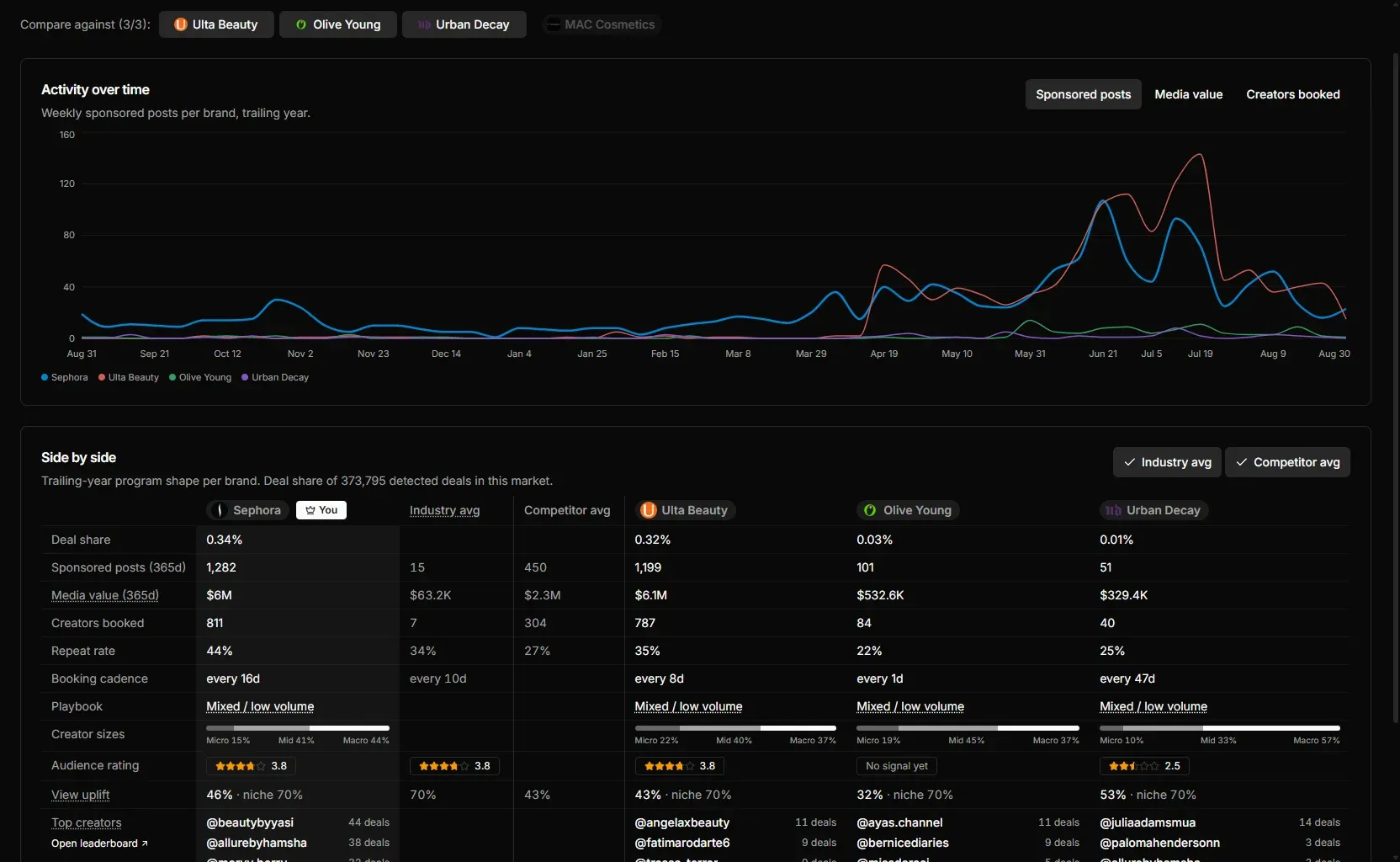
Brand Watcher compares sponsored activity and content value across brands over the same window.
Content valuation is what makes a comparison across brands fair. Each brand’s coverage is valued on the same basis, so a competitor spending on Twitch streams and a competitor spending on YouTube shorts can be set beside each other in one currency. Brand tracking captures paid and organic mentions across YouTube, Twitch, TikTok, Instagram, and X, and the sponsorship detection method classifies each one before it counts as sponsored.
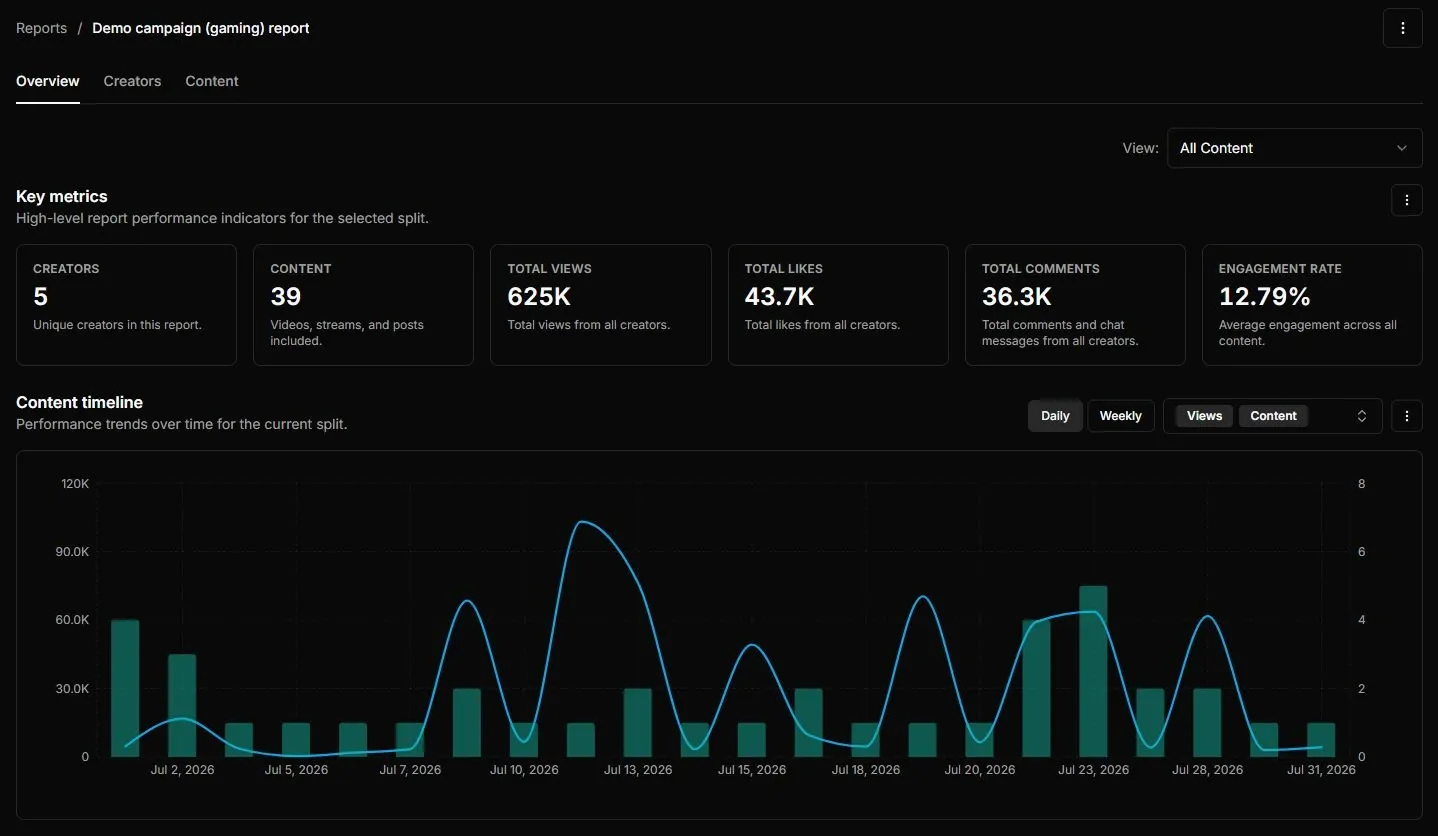
Streamforge’s demo campaign report shows the campaign’s content and performance over time.
The same campaign workspace manages creator rates and budgets, deliverables with due dates and statuses, assigned owners and tracking links. Teams can use custom stages, bulk edits and reusable templates to organize the work that produces the report.
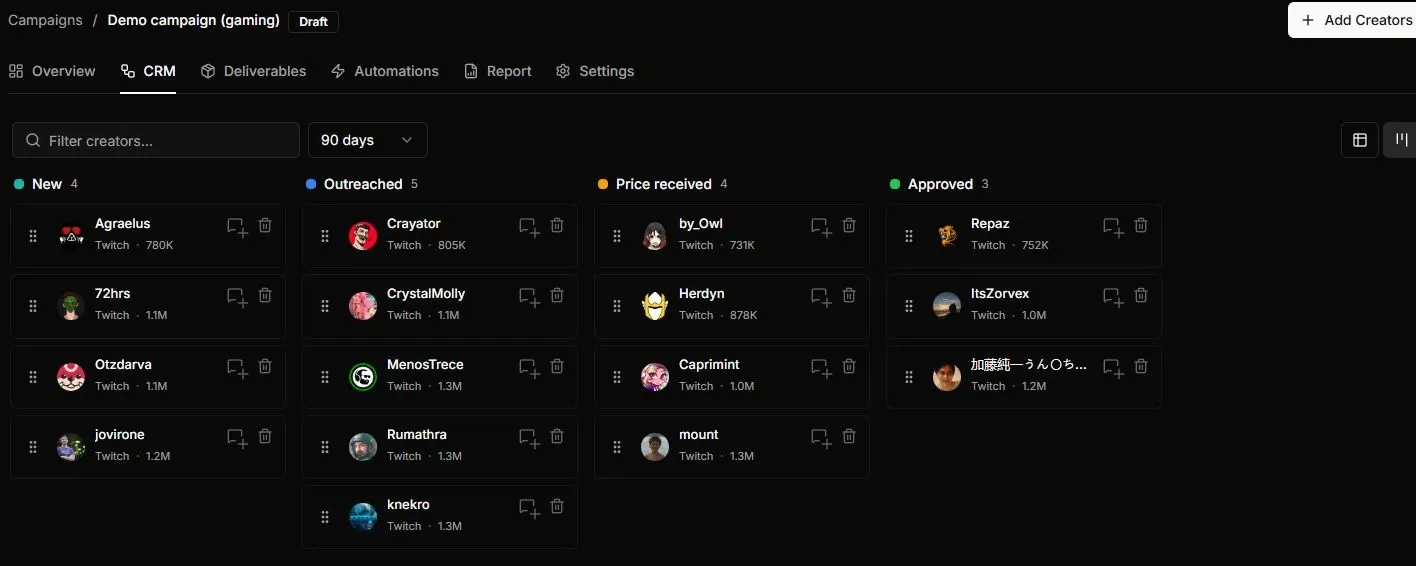
Streamforge’s demo campaign groups creators by stage, with deliverables and reporting in the same campaign.
Key features
- Campaign operations include budgets, creator rates, deliverables, deadlines and tracking links.
- Campaign reporting and competitive intelligence address different levels of performance.
- Brand comparisons put sponsored activity and content value in market context.
Worth noting: Content value and estimated competitor spend are not attributed sales or audited invoices. Use a commerce attribution tool when the question is orders and commissions.
Pricing and access: Talk to Streamforge about the workflow, platforms and data access you need.
2. impact.com
Best for: attributing revenue across creators, affiliates and every other partner type.
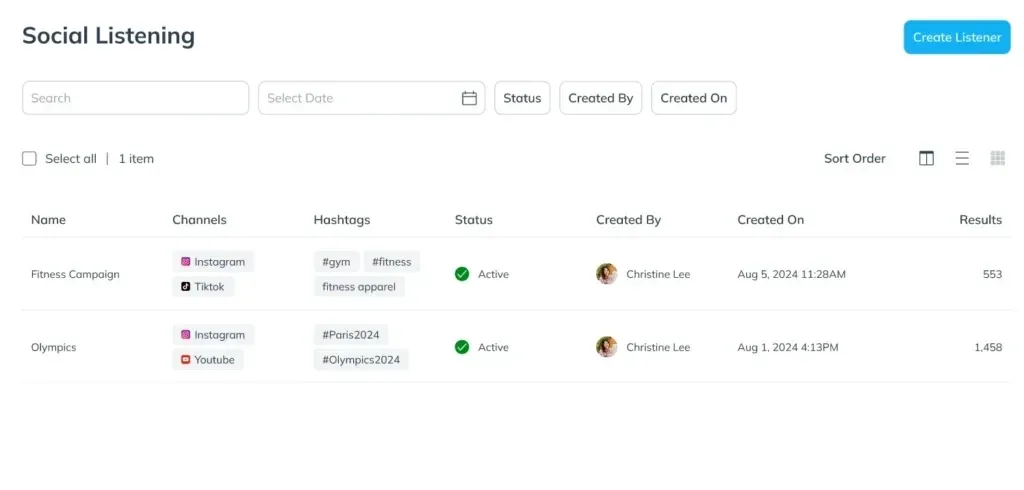
The impact.com Social Listening dashboard, shown in its Creator v2.0 walkthrough. Source: impact.com.
impact.com’s attribution and performance reporting centers on each partnership’s contribution to revenue, across affiliates, creators, publishers and referrals. Tracking, integrations and APIs connect program data, and contracts and payouts are managed in the same platform.
Key features
- Revenue attribution spans creators and other partner types.
- Contracts, tracking and payouts connect the performance report to the partner ledger.
Worth noting: Define the partner types you need before comparing plans. A creator campaign and a broader affiliate program can require different products and setup.
Pricing and access: Contact impact.com about the creator and partnership products required for your program.
Read the full comparison: Streamforge vs impact.com.
3. GRIN
Best for: DTC brands that report on affiliate revenue per creator.
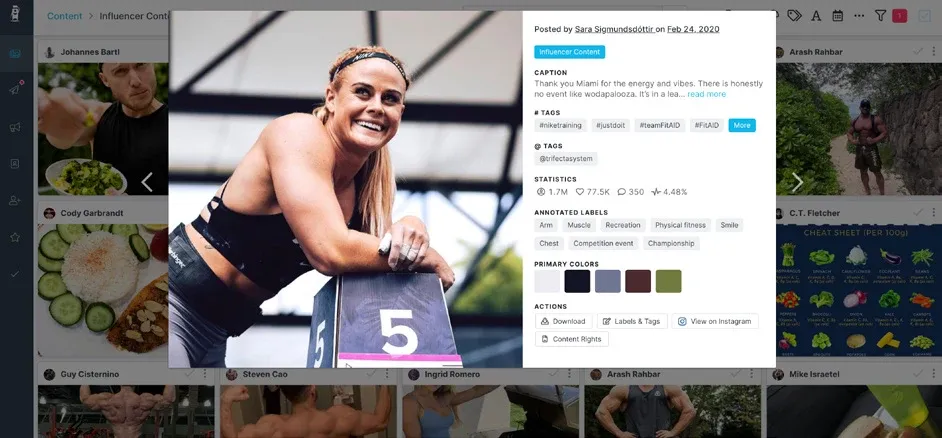
GRIN’s content library in its Trifecta case study (archival interface, with a 2020 post). Source: GRIN.
GRIN’s reporting centers on owned creator programs, affiliate revenue and content performance. Recruitment, content tracking, affiliate revenue and creator payments sit in one program stack, so reporting and payments live in the same place.
Key features
- Affiliate revenue and content performance appear within the creator program.
- Creator payments sit alongside recruitment and tracking for operational reporting.
Worth noting: The screenshot shows GRIN’s archival content interface. Its current Gia plans use credits; estimate the recurring work those credits must cover.
Pricing and access: GRIN with Gia has a free tier; Starter is $200/month with a monthly credit allowance and metered overage. GRIN pricing.
Read the full comparison: Streamforge vs GRIN.
4. Upfluence
Best for: Shopify and Amazon sellers tracking sales from codes and gifting.
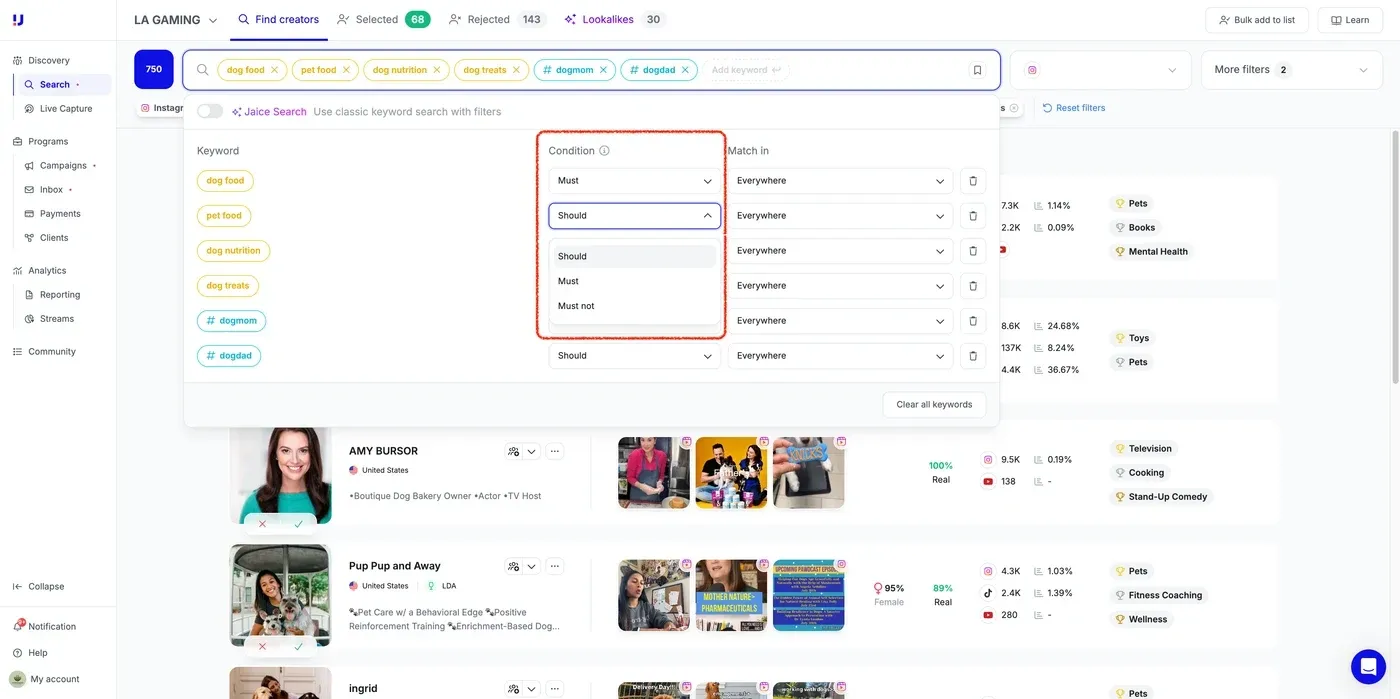
Upfluence’s Search app, shown in its creator-search guide. Source: Upfluence.
Upfluence’s reporting centers on owned campaign performance, sales, affiliate results and ROI. Promo codes, sales tracking and affiliate workflows are part of the product, with commerce integrations including Shopify and Amazon.
Key features
- Promo codes and sales tracking connect creator activity to commerce results.
- Shopify and Amazon workflows support store-specific attribution requirements.
Worth noting: Its commerce workflows are most relevant when you can connect a store. For a non-commerce campaign, demo the reporting you will actually use.
Pricing and access: Request an Upfluence plan with the commerce integrations and campaign scope you need.
Read the full comparison: Streamforge vs Upfluence.
5. Aspire
Best for: ambassador and UGC programs that report on content and sales together.
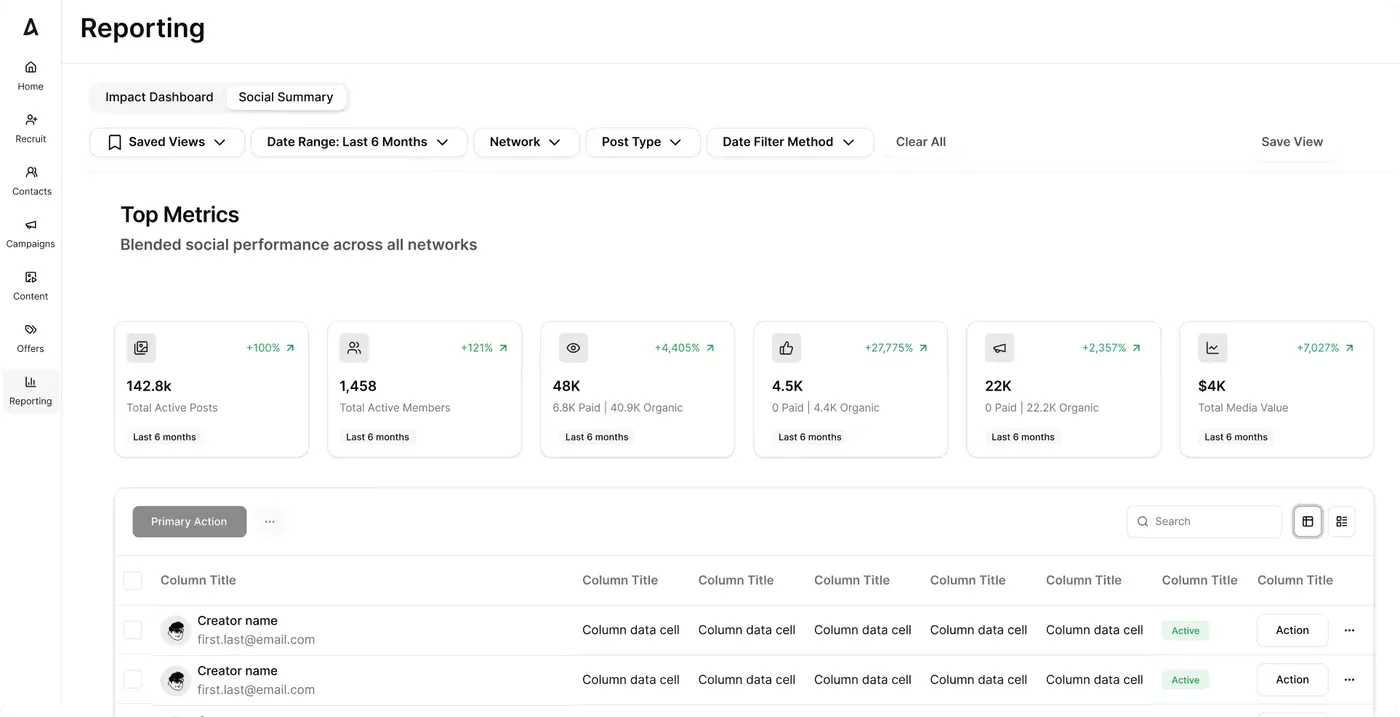
Aspire’s campaign reporting interface. Source: Aspire.
Aspire’s reporting centers on owned programs, content, sales and campaign performance, with commerce integrations that include Shopify.
Key features
- Reporting combines campaign, content and sales performance.
- Commerce integrations include Shopify for store-based programs.
Worth noting: Inbound recruitment depends on who applies. Test whether the marketplace produces creators in your niche as well as enough applications.
Pricing and access: Contact Aspire for a proposal covering your recruitment and campaign workflow.
Read the full comparison: Streamforge vs Aspire.
6. Modash
Best for: Shopify programs tracking creator content, affiliate links and payments.
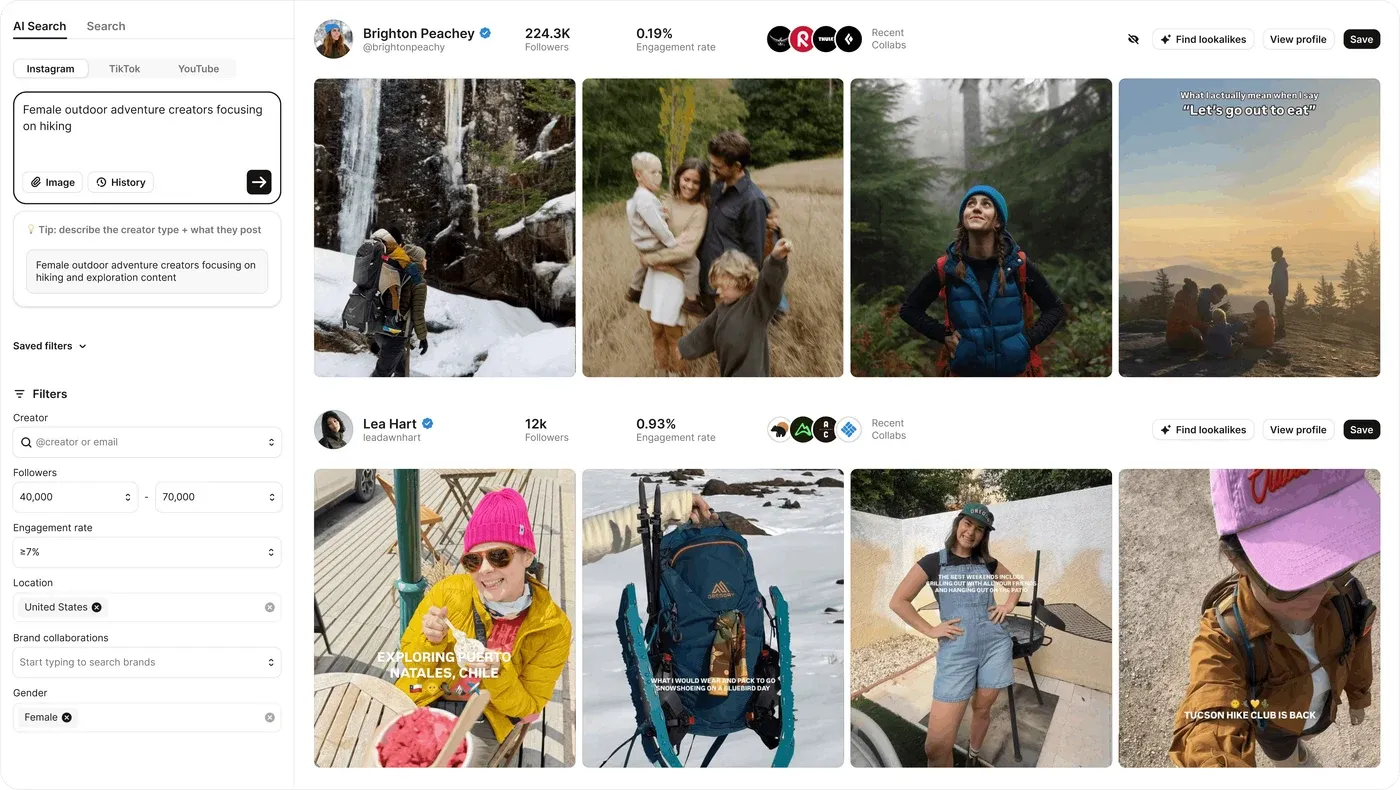
Modash’s AI Search and creator results. Source: Modash.
Modash covers content tracking, campaign reporting, links and payments. Its reporting centers on owned campaigns, creators, content and program performance, with Shopify-connected workflows for gifting and affiliate tracking.
Key features
- Content and campaign tracking support owned-program reporting.
- Tracking links and payment workflows connect results to campaign execution.
Worth noting: Check the profile-opening, email and tracked-creator allowances against a normal month of work. These limits can matter more than the seat count.
Pricing and access: Essentials starts at $199/month billed yearly ($2,388/year). Usage limits and payment features vary by tier. Modash pricing.
Read the full comparison: Streamforge vs Modash.
7. Traackr
Best for: global brands that manage budgets and benchmark programs across markets.
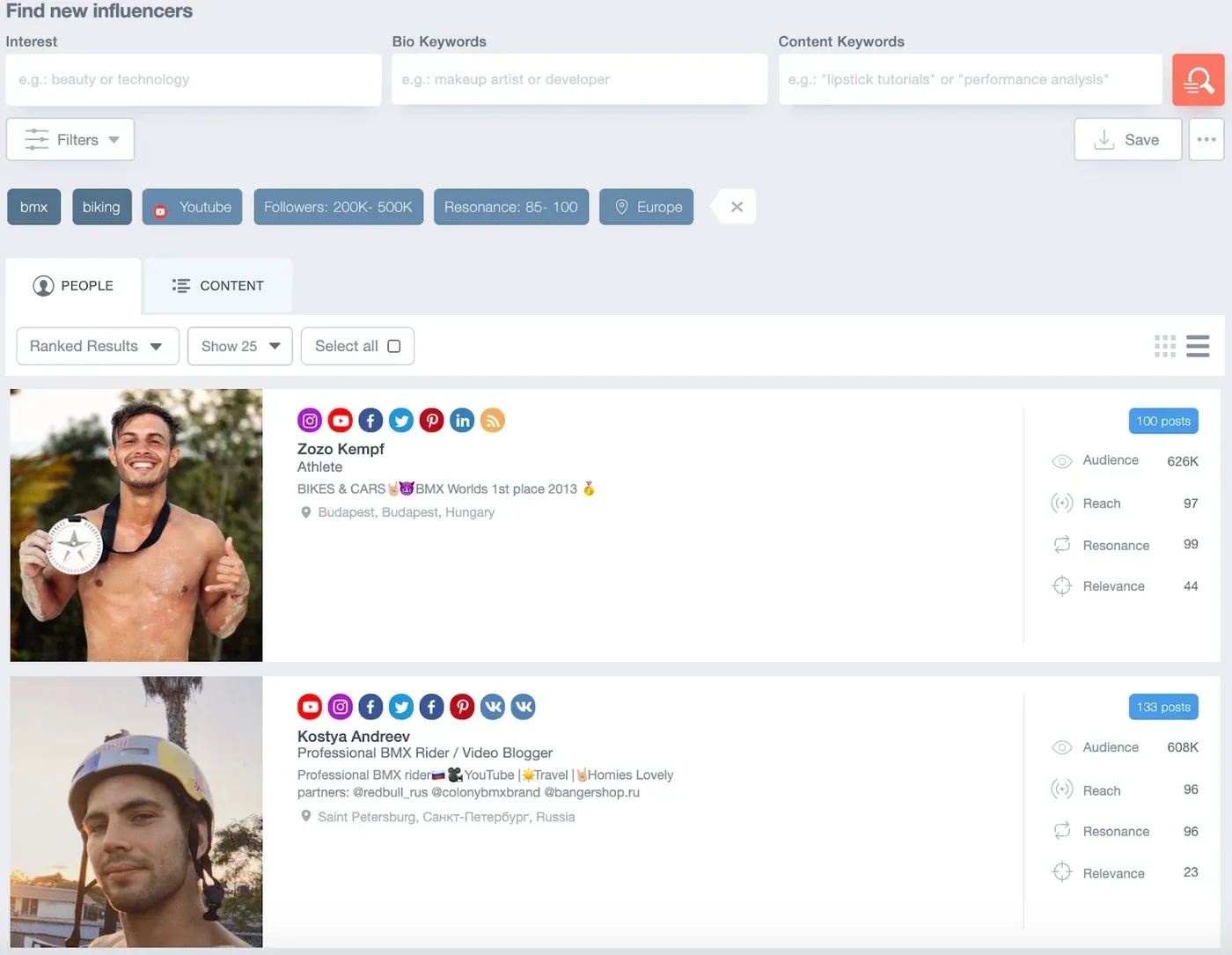
Traackr’s archival influencer search interface, from its passion-point search walkthrough. Source: Traackr.
Traackr covers relationships, campaigns, content, budgets, payments and performance measurement, and adds competitive benchmarking and market performance analysis for program planning. Its team, budget and program controls support work across markets; test the permissions and reporting structure your organization needs.
Key features
- Budget and program controls support reporting across markets.
- Competitive benchmarks add a market view alongside campaign performance.
Worth noting: Choose a market, period and peer set before reviewing a benchmark. Also request a current interface demo; the search image here is archival.
Pricing and access: Traackr’s pricing page directs buyers to a specialist for packages. Request pricing.
Read the full comparison: Streamforge vs Traackr.
8. CreatorIQ
Best for: multi-brand enterprises that need standardized reporting with governance behind it.
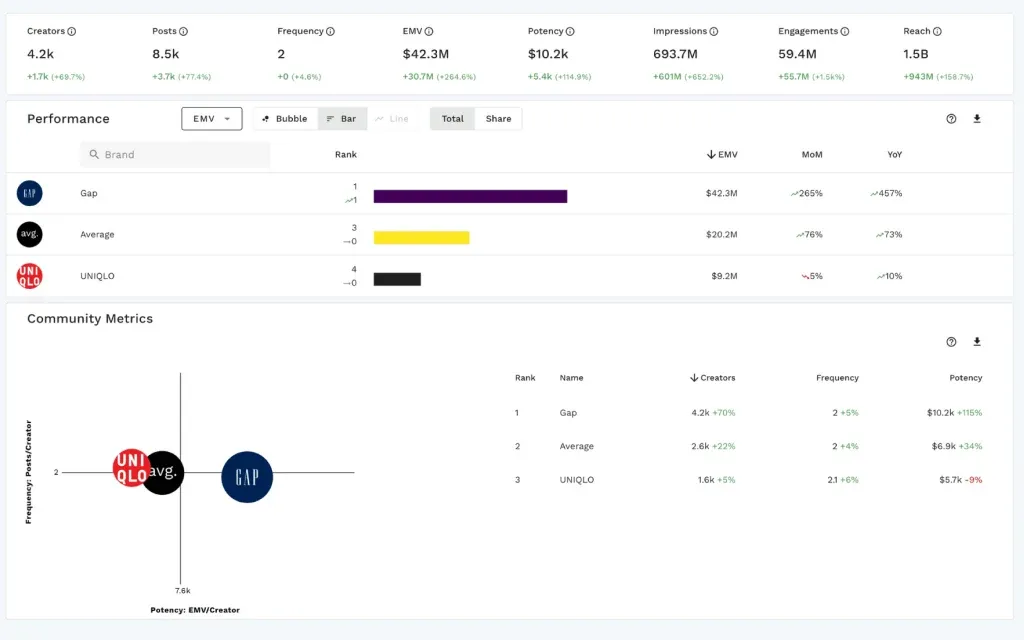
CreatorIQ’s reporting dashboard. Source: CreatorIQ.
CreatorIQ provides enterprise reports and benchmarks centered on program performance, on top of approvals, contracts and payments with explicit multi-brand governance and audit trails. Audience insights include first-party viewership data for creators who opt in, and a bidirectional API sits inside an established integration ecosystem.
Key features
- Enterprise reports and benchmarks standardize program measurement.
- Multi-brand governance and API integration connect reports to the broader operation.
Worth noting: Ask for your real approval chain, brand structure and export requirements in the demo. Enterprise governance only helps if it matches your organization.
Pricing and access: Request CreatorIQ pricing, including the brands, teams and integrations in scope.
Read the full comparison: Streamforge vs CreatorIQ.
9. Later Influence
Best for: consumer brands that want reporting delivered with managed campaigns.
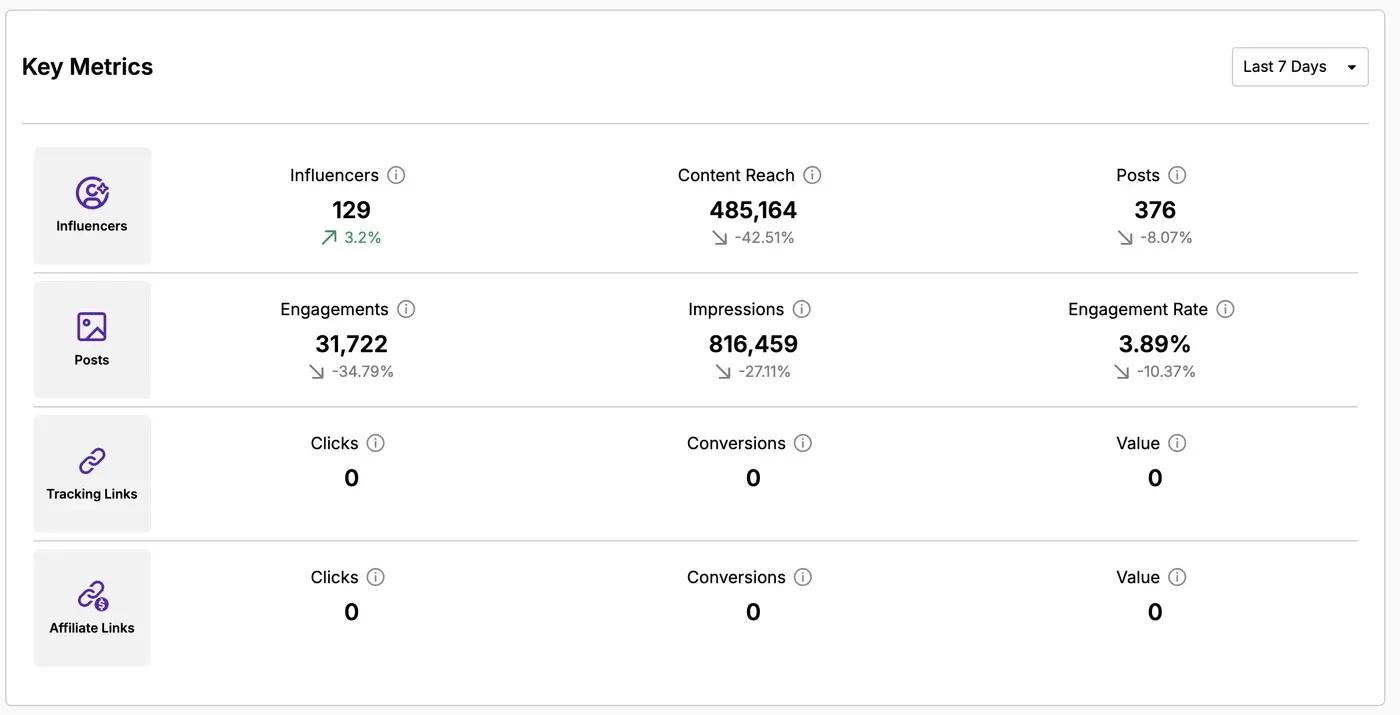
Later Influence’s campaign dashboard, from its reporting guide. Source: Later.
Later Influence’s reporting centers on campaign reach, engagement, content and program performance, inside structured workflows that run from sourcing through payments, with managed services available.
Key features
- Reports cover campaign reach, engagement and content.
- Managed services can support campaign execution and reporting delivery.
Worth noting: Clarify which work your team performs in the software and which work Later delivers as a service, with separate deliverables and costs.
Pricing and access: Contact Later to confirm the software, service scope and campaign budget.
Read the full comparison: Streamforge vs Later Influence.
10. Influencity
Best for: teams evaluating Influencity’s campaign and creator reports.
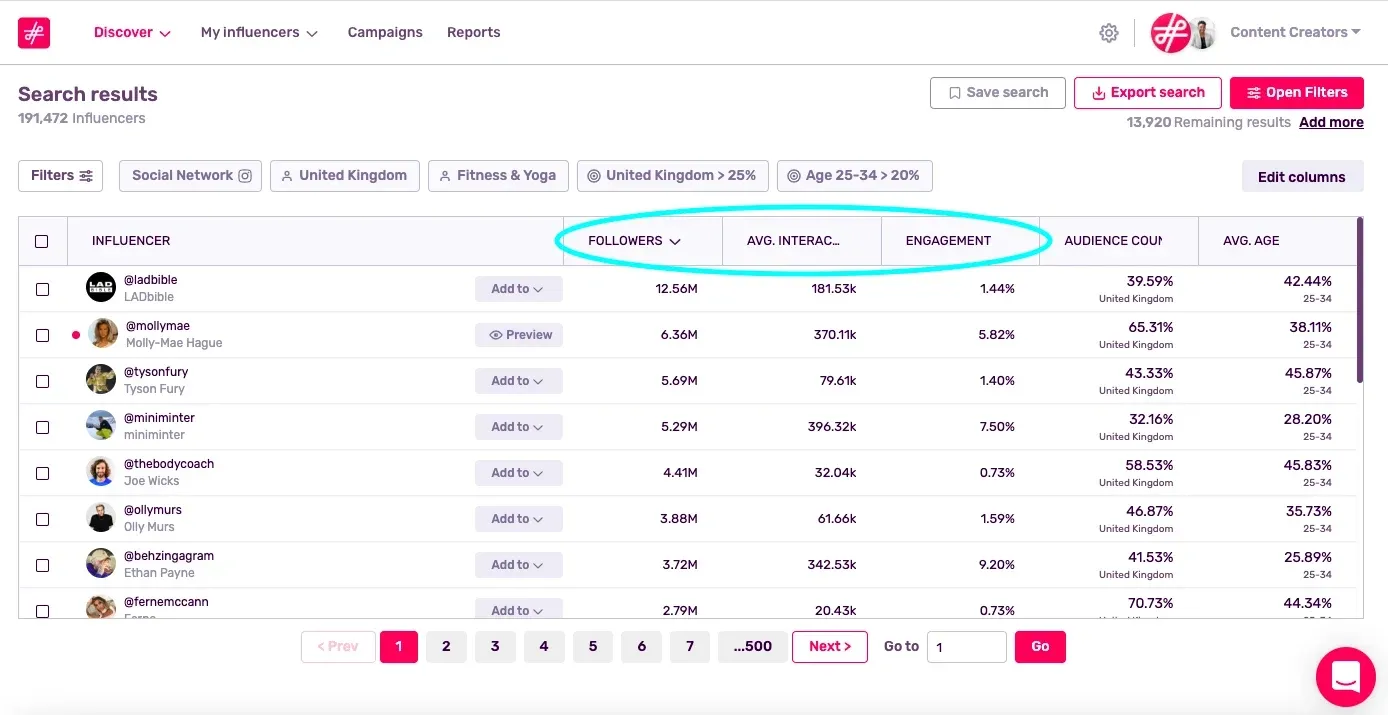
Influencity’s Discover results dashboard, annotated in its help guide. Source: Influencity.
Influencity’s reporting centers on creators, campaigns, posts and owned program performance, with client-facing workflows that suit agencies and consultants.
Key features
- Creator, post and campaign reports cover owned-program performance.
- Client-facing workflows support agencies reporting across accounts.
Worth noting: Price the features and analysis capacity you actually need. A discovery-only evaluation will not tell you the cost of a complete agency workflow.
Pricing and access: Compare Influencity plans, including analysis and tracking allowances. Monthly and annual billing are available.
Read the full comparison: Streamforge vs Influencity.
11. HypeAuditor
Best for: benchmarking creators and campaigns with audience quality in the picture.
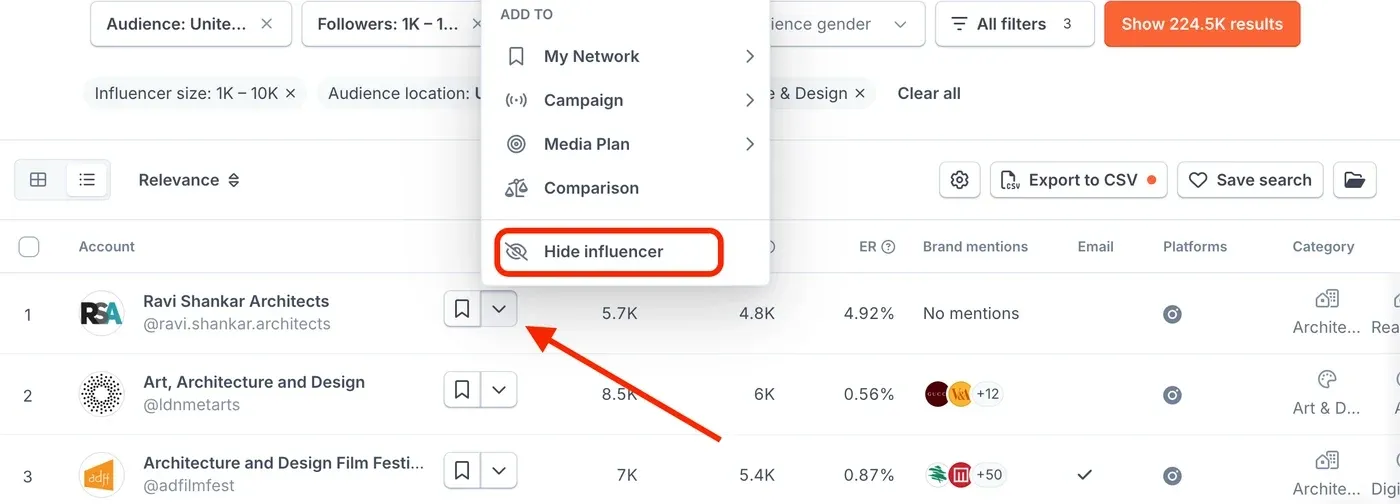
HypeAuditor’s discovery interface, annotated in its help guide. Source: HypeAuditor.
HypeAuditor’s market and account analytics support creator, competitor and campaign benchmarking, on top of the audience-quality and fraud analysis it is known for. Campaign tracking and reporting extend the analytics workflow.
Key features
- Market and account analytics support creator and competitor benchmarks.
- Audience-quality analysis adds context to campaign evaluation.
Worth noting: Ask to see the evidence behind an audience-quality score and the report allowance on your plan. A score should support a review, not replace it.
Pricing and access: Request HypeAuditor pricing for your discovery, report and campaign requirements.
Read the full comparison: Streamforge vs HypeAuditor.
12. Kolsquare
Best for: European programs that pair campaign reports with social listening.
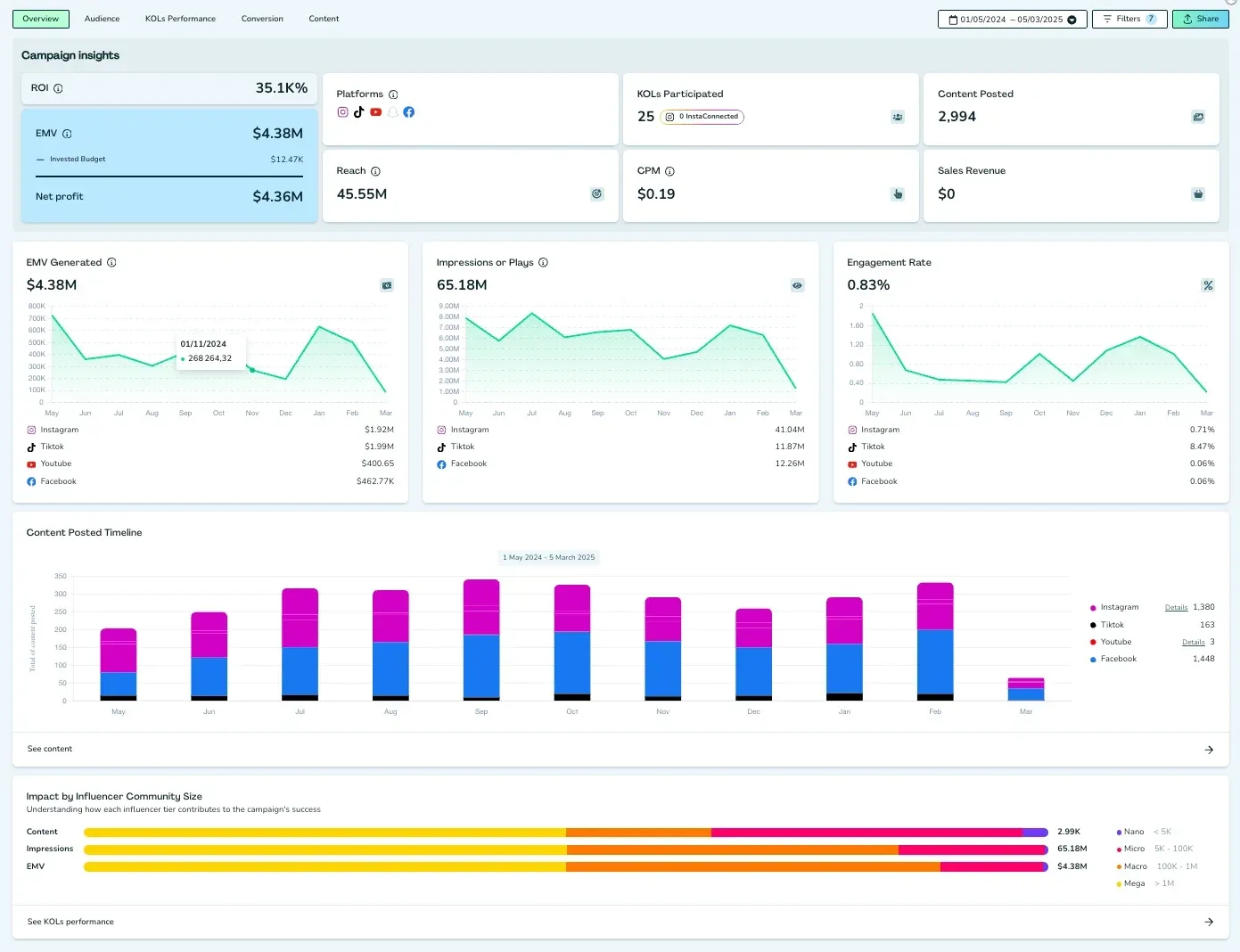
Kolsquare’s campaign reporting dashboard. Source: Kolsquare.
Kolsquare combines campaign tracking, content detection and reporting with social listening across brand mentions and competitor keywords.
Key features
- Content detection and campaign tracking feed performance reports.
- Social listening tracks brand mentions and competitor keywords.
Worth noting: Test coverage in the countries and languages your campaign needs. A strong regional fit matters more than a global headline count.
Pricing and access: Compare Kolsquare packages and request the configuration for your team.
Read the full comparison: Streamforge vs Kolsquare.
13. Captiv8
Best for: enterprises that want listening, campaign analysis and services in one contract.
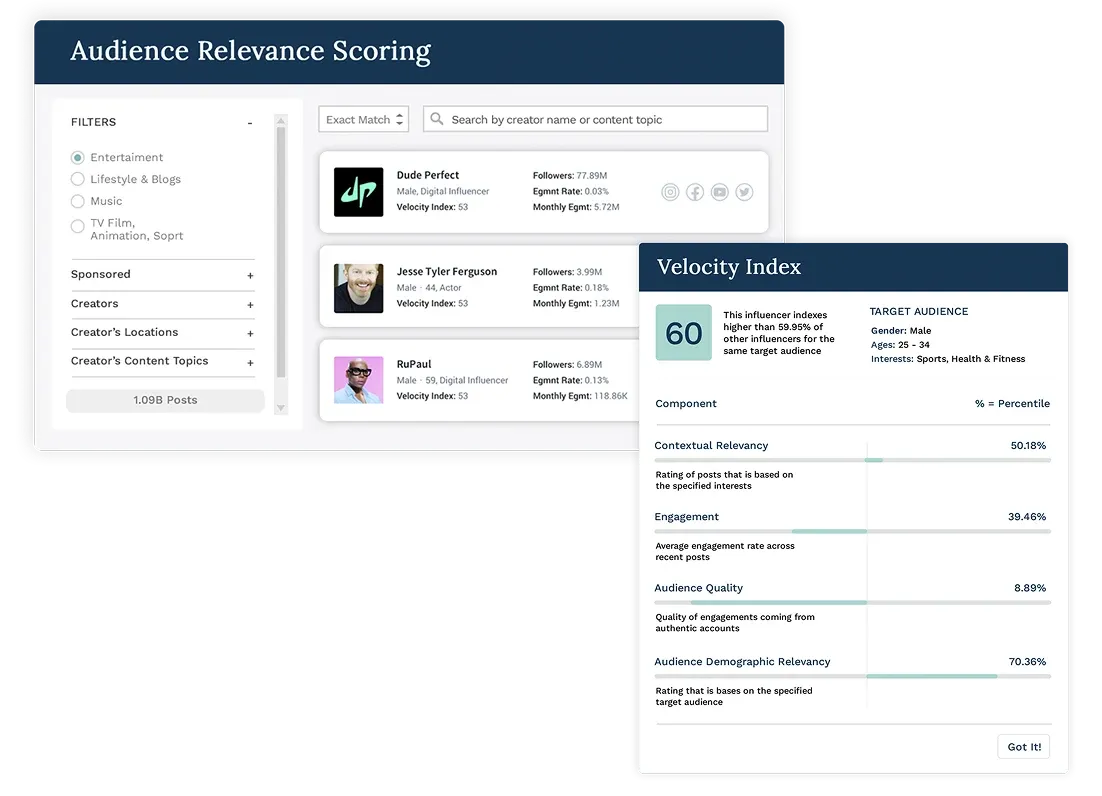
Captiv8’s audience relevance and creator analysis product image. Source: Captiv8.
Captiv8’s social listening and campaign analysis support brand and program visibility, alongside campaign execution, reporting and payments in one enterprise platform with managed-service support.
Key features
- Campaign analysis and social listening support program visibility.
- Enterprise execution and managed services support reporting delivery.
Worth noting: Separate the software scope from managed services in the proposal, including who will source creators, run the campaign and prepare the report.
Pricing and access: Contact Captiv8 to scope software and any managed services separately.
Read the full comparison: Streamforge vs Captiv8.
14. Sprout Social Influencer Marketing
Best for: tying influencer results to the rest of the social program.
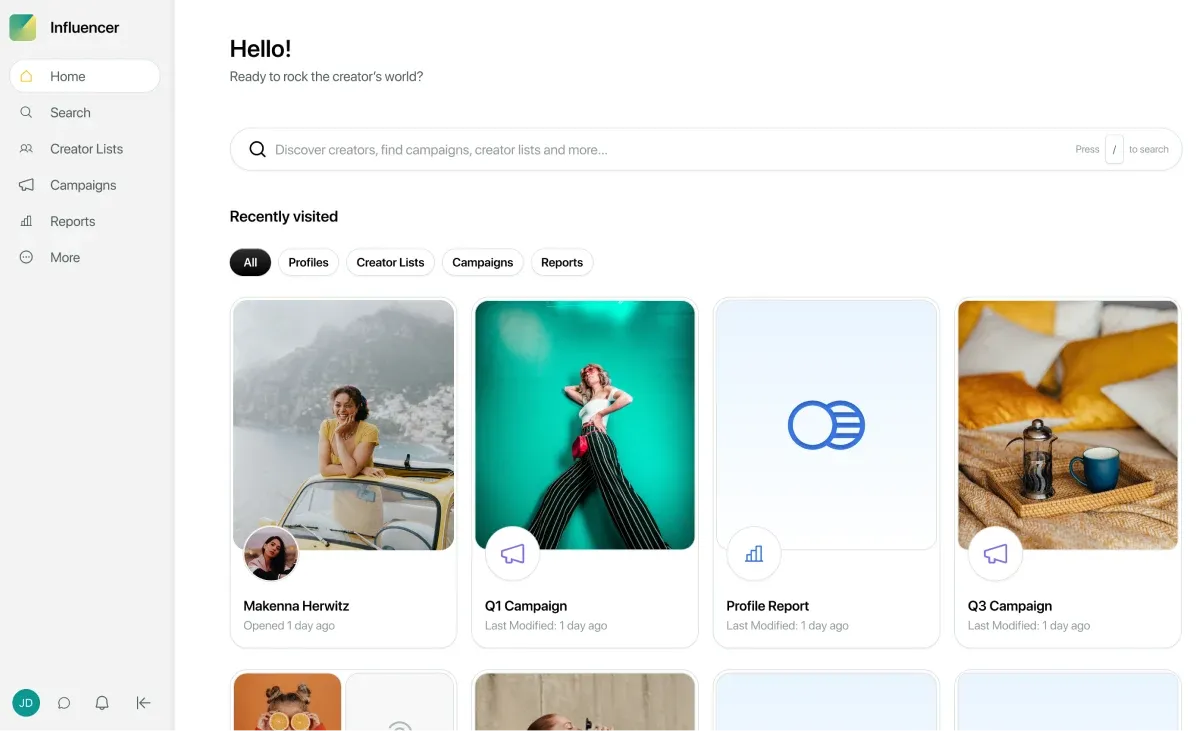
The Sprout Social Influencer Marketing dashboard. Source: Sprout Social.
Sprout’s social, competitor and campaign reporting connects influencer work to the wider social program, which matters when the same team reports on both.
Key features
- Campaign and competitor reporting connect influencer work to social performance.
- A shared social-team workflow supports broader program reporting.
Worth noting: Confirm the influencer product’s pricing and integration scope separately from your existing social-management subscription.
Pricing and access: Request influencer-product pricing; do not substitute the price of Sprout’s social-management plans.
Read the full comparison: Streamforge vs Sprout Social Influencer Marketing.
Testing a report before you buy it
Ask each vendor to rebuild the report for a campaign you already ran, from rows rather than totals. Ask to open a finished campaign and see whether creator rows, per-network metrics and content dates are still there. Ask for the same metric on two networks with each network’s definition beside it, and ask where a blank is shown as a blank. A combined score is welcome on top of that, but it is not a substitute for the counts, the definitions and the dates underneath.
Then check the question. Put the vendor’s sample report next to the sentence your finance lead will actually say, and see whether the report answers it. The article on choosing a platform for reporting and workflow goes further into what a platform has to keep for a report to be trustworthy, and the 14 best influencer marketing platforms covers these vendors beyond their reporting.
Frequently asked questions
Is earned media value the same as influencer ROI?
No. Media value estimates the value of exposure using a methodology. Financial ROI requires a defined return and cost basis. Keep estimates, attributed revenue and observed engagement separate in the report.
How should I compare reporting demos?
Use the same completed campaign and reporting window. Ask for creator and content rows, metric definitions, missing-data handling and exports. Choose the report that answers your business question, rather than the one with the most charts.
See your campaign in context
Bring the question your next report must answer and the brands you compare against. We’ll show the relevant campaign and competitive views in Streamforge.