

 By Streamforge
An influencer CRM should let a teammate understand the relationship without asking the person who started it. That means retaining the creator’s accounts, the reason they were shortlisted, the conversation so far and the next campaign action.
We recommend starting with Streamforge when you need creator discovery and audience vetting connected to campaign operations. These seven platforms serve different programs, from a small team managing a shared shortlist to an enterprise maintaining an owned creator network. Compare them by running one creator from discovery through an outreach handoff, campaign planning and a renewal decision.
Disclosure: Streamforge publishes this guide and is included below. We compared public product documentation, not hands-on trials of every platform. Best-fit recommendations are editorial judgments, and the numbered order is for navigation.
Compare the influencer CRM platforms
Information was checked October 2, 2026. Numerical prices are in USD. GRIN’s credit allowances and Modash’s annual billing commitment are part of the price comparison; other vendors link to their current plan or proposal route.
| Platform | Best fit | Pricing or access |
|---|---|---|
| Streamforge | Our recommendation for discovery and audience vetting connected to email outreach, deliverables with deadlines and reporting | Discuss your workflow |
| GRIN | DTC teams evaluating creator relationships alongside affiliate operations | Free: 50 usage credits; Starter: $200/month with 2,000 monthly credits |
| Upfluence | E-commerce programs organizing creator ownership and campaign history | Request a configuration and quote |
| Aspire | Teams sharing creator communication across ongoing programs | Request a proposal |
| CreatorIQ | Enterprises maintaining an owned creator network | Request pricing |
| Modash | Teams that need shared creator records, notes and relationship status | Essentials: $199/month billed annually, $2,388/year |
| Influencity | Teams grouping social accounts, notes and communications in an IRM | Monthly or annual plans |
The feature to test first is the handoff: can another teammate find why the creator was selected and what they should do next?
1. Streamforge
Best for: teams evaluating audience research alongside campaign CRM and reporting views.
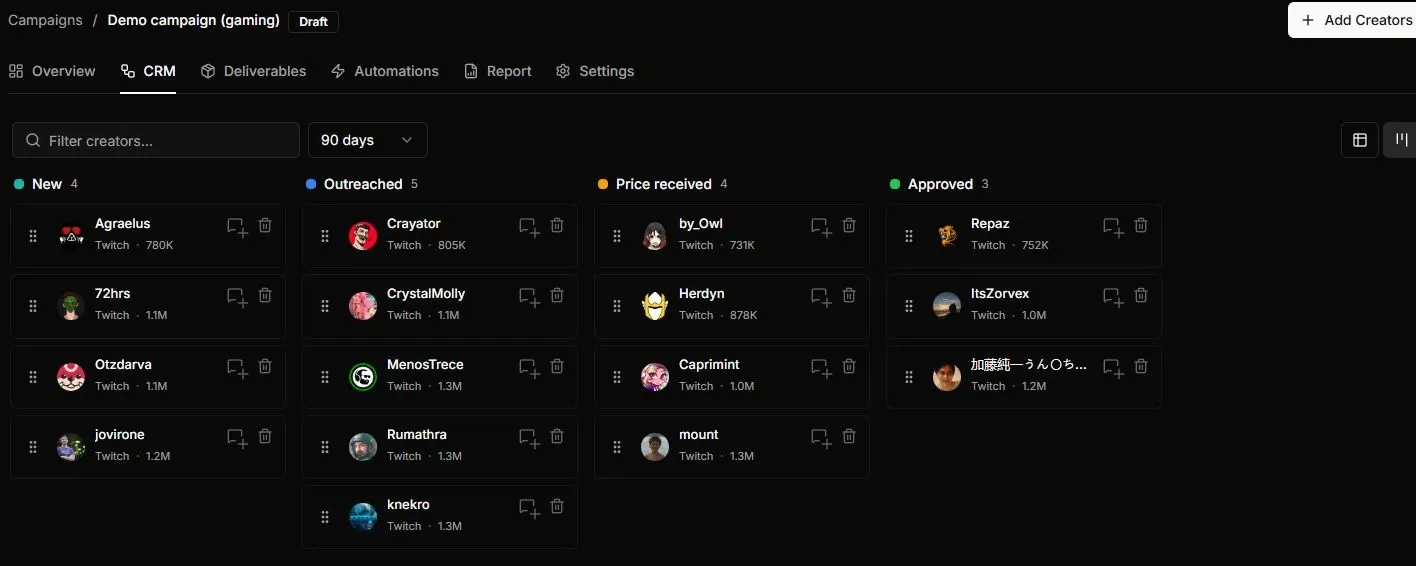
Streamforge’s gaming demo campaign groups creator cards by relationship stage. CRM, Deliverables and Report are tabs on the same campaign; the example uses demo data.
Streamforge is an influencer marketing platform for creator discovery, audience analysis, competitive intelligence, campaign workflow, and data access by API. The demo campaign above shows the CRM board beside deliverables and reporting, making it a useful starting point for evaluating how creator research carries into execution.
Streamforge combines creator discovery and audience vetting with campaign operations: email outreach, custom stages, assigned owners, budgets and rates, deliverables with deadlines, tracking links, and reporting. Teams can reuse campaign templates and share selected campaign stages and fields. Review these operations in a workflow walkthrough, then confirm the permissions and plan for your team.
Start with the selection itself. Audience analysis is supported across YouTube, Twitch, TikTok, Instagram, and X. Use the audience-analysis methodology to interpret the evidence, then write why a particular creator belongs on the shortlist and what the campaign is intended to learn.
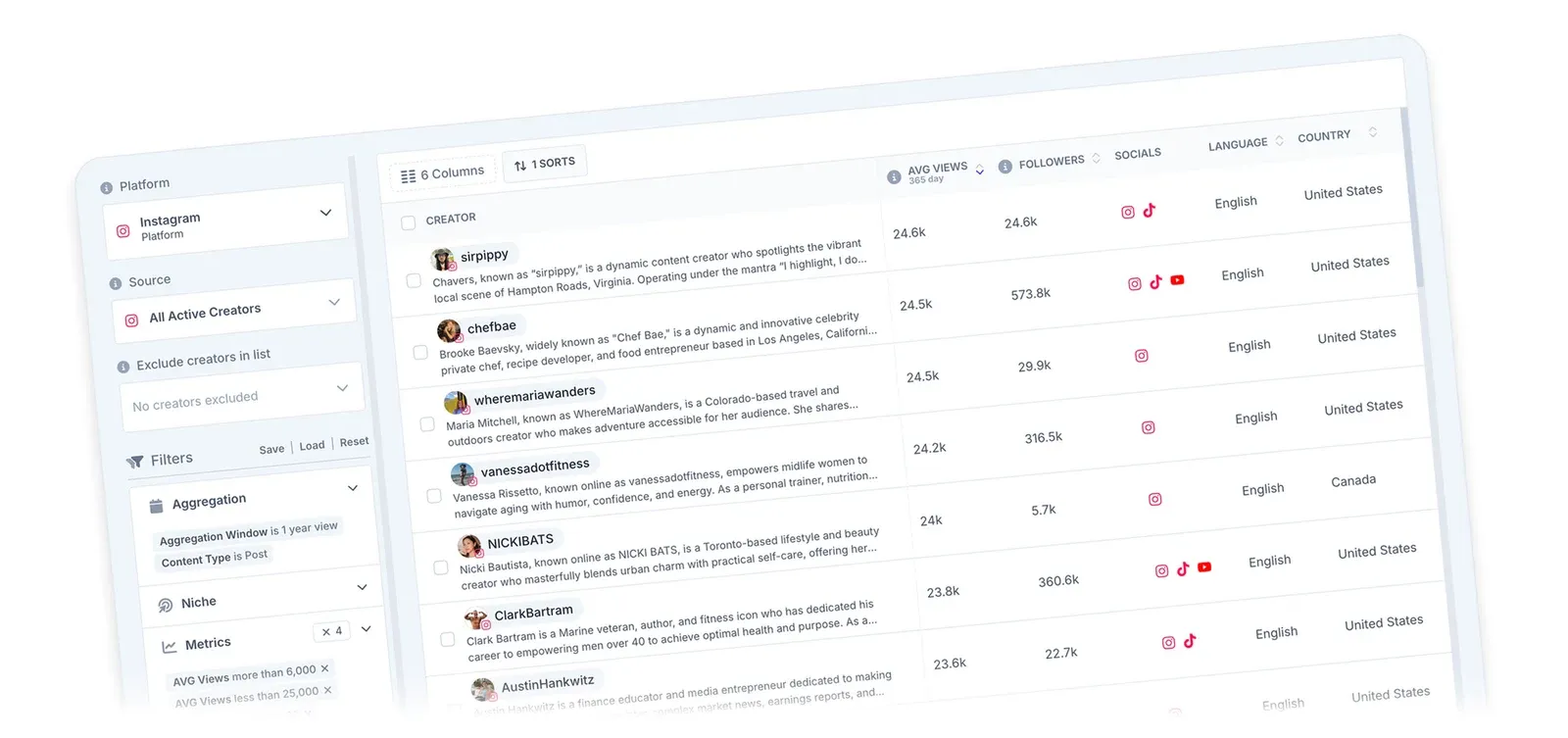
Streamforge’s discovery view shows creator results, social accounts and metric filters. During an evaluation, follow a selected creator into the campaign and check how the research is retained.
What to evaluate
- Audience research on the platforms in your campaign brief.
- The demo campaign’s CRM stages and deliverables view.
- Creator-level reporting during the review of a completed campaign.
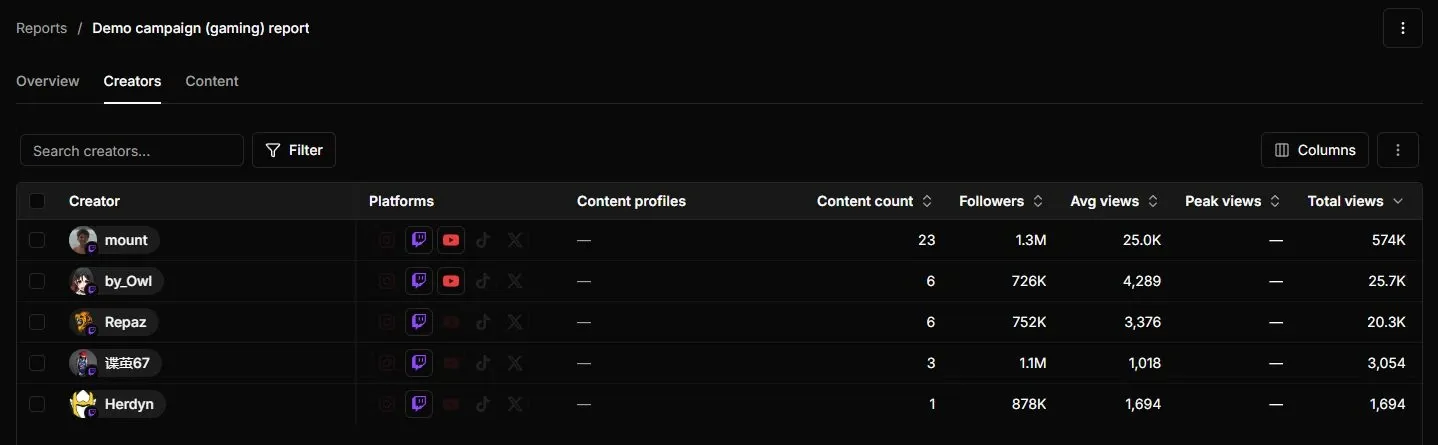
The creator view of Streamforge’s demo report includes platform and content information beside view metrics. A renewal review should refer back to the original selection rationale as well as these results.
Buying consideration: ask to run the complete handoff with two teammates. Confirm the specific notes, owner assignment, communication history, export and permissions your team needs in the proposed plan. The screenshots demonstrate the displayed views; a stage board alone does not establish every inbox or contracting capability.
Pricing and access: Talk to Streamforge with your creator-selection process, handoff requirements and reporting needs. The workflow evaluation guide gives a detailed demo brief.
2. GRIN
Best for: DTC teams evaluating creator relationships alongside affiliate operations.
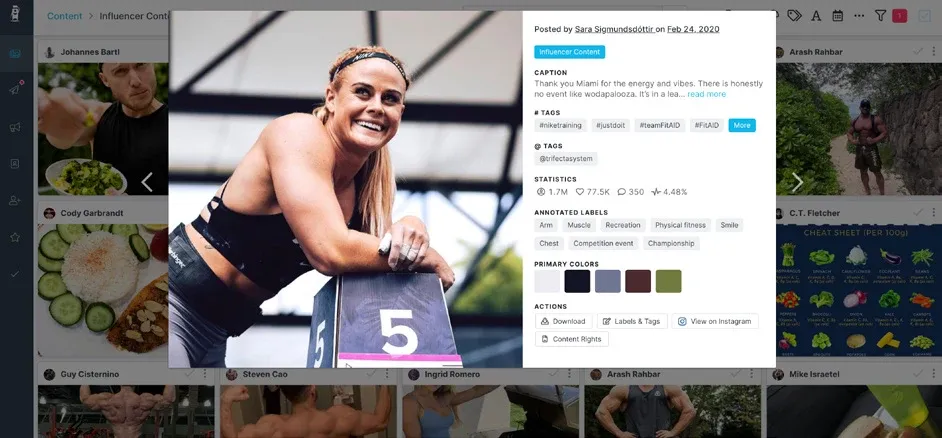
An archival GRIN content-library screen from its Trifecta case study, including a 2020 post. This is a historical interface; request a current GRIN with Gia demo. Image source: GRIN.
GRIN’s current platform page describes creator relationship records connected to its broader creator and affiliate workflow. Its pricing page distinguishes manual CRM activity from work that consumes credits.
What to evaluate
- The creator relationship record in the current product.
- Affiliate and campaign context alongside that relationship.
- Which day-to-day actions consume credits.
Buying consideration: request the current interface and distinguish it from GRIN Classic. Build a normal month’s activity into the price evaluation, especially if you expect to use Gia automation or commission-related work. The historical screenshot should not stand in for that demonstration.
Pricing and access: GRIN with Gia lists a Free tier with 50 usage credits and Starter at $200/month with 2,000 monthly credits. Paid plans can purchase more credits; Free cannot. Review plans and metering before estimating your operating cost.
3. Upfluence
Best for: e-commerce programs organizing creator ownership and campaign history.
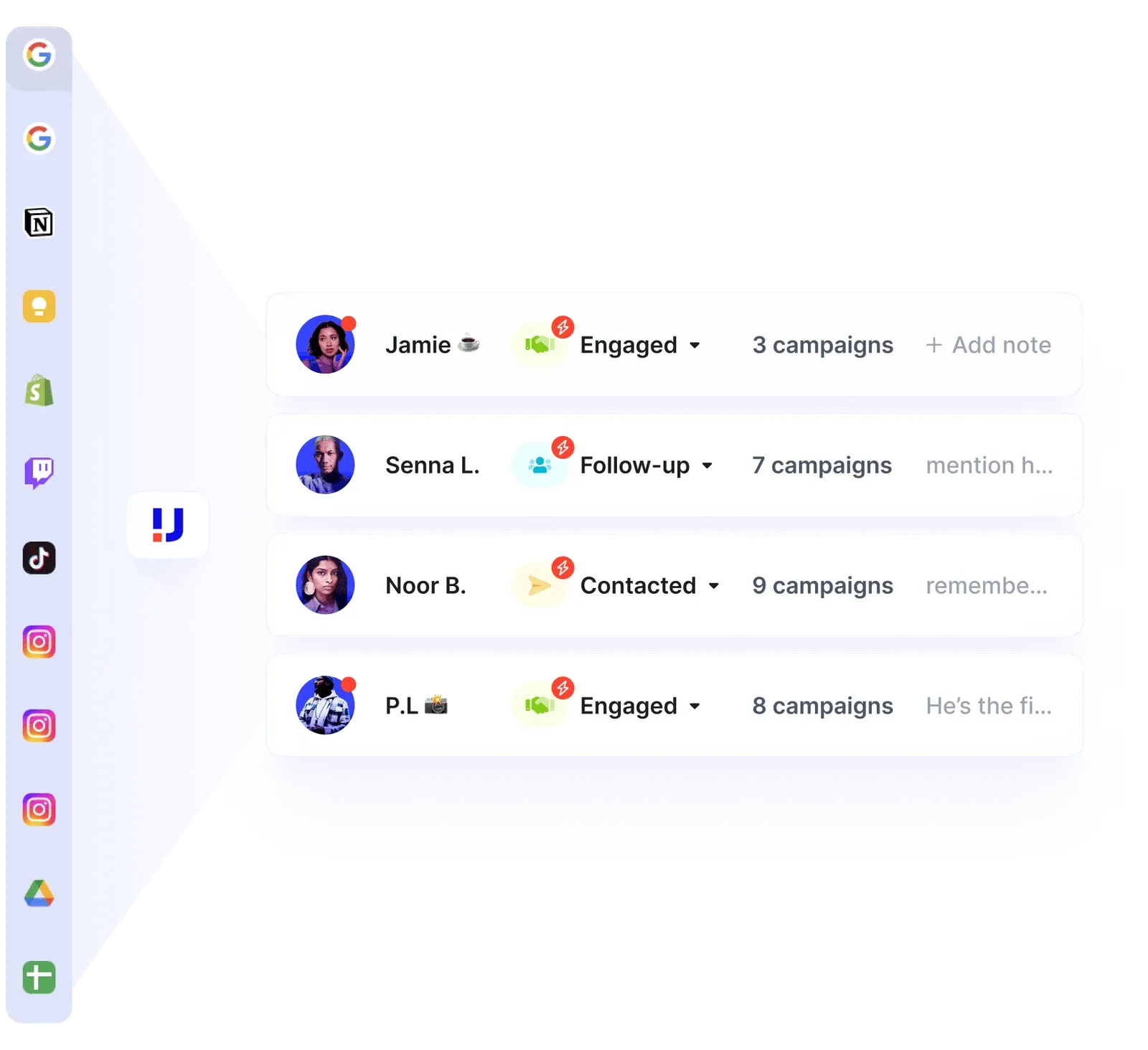
A vendor-published Upfluence CRM view illustrating creator assignments and relationship stages. Image source: Upfluence.
Upfluence’s relationship management offering includes creator ownership, custom statuses and cross-campaign history. Its e-commerce workflow adds outreach and campaign operations around those records.
What to evaluate
- Ownership and status for each creator relationship.
- Past campaign context when a creator is considered again.
- The connection to your store and campaign operations.
Buying consideration: demonstrate the handoff using your actual store integration and reporting needs. Confirm which modules include the discovery, communication, campaign and payment work your team expects to perform.
Pricing and access: Upfluence’s pricing page uses a tailored quote based on modules, team size and program volume. Include the complete workflow in the request.
4. Aspire
Best for: teams sharing creator communication across ongoing programs.
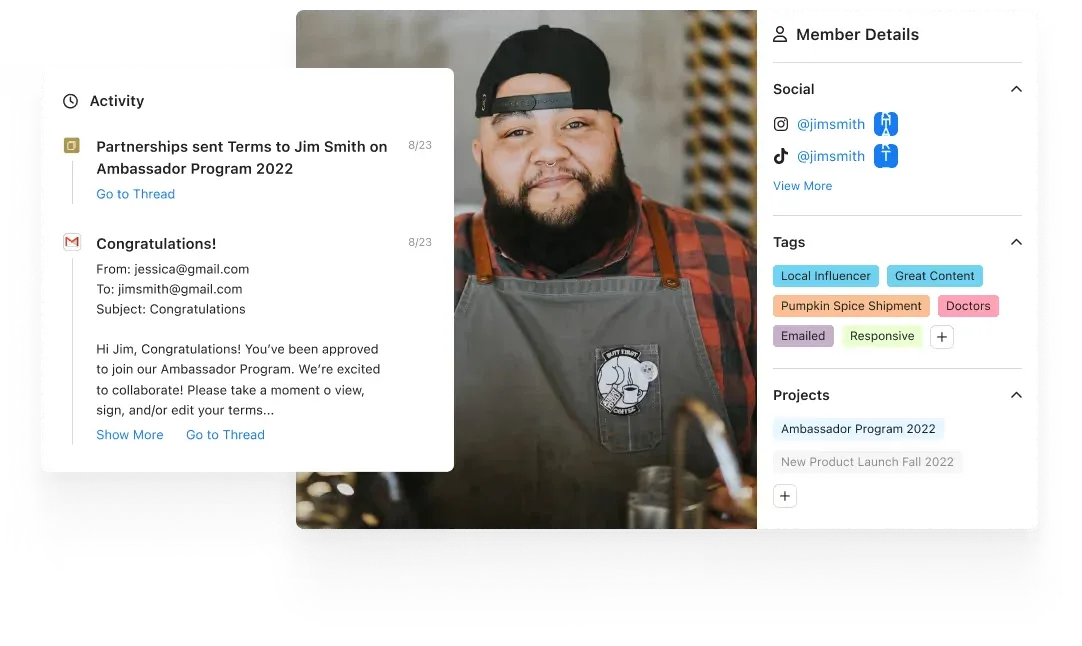
Aspire’s vendor-published relationship example shows a member record and message activity, with sample program dates from 2022. Confirm the current layout in a demo. Image source: Aspire.
Aspire’s relationship management page describes shared creator communication with Gmail or Outlook integration. It also supports recruiting creators through campaign applications.
What to evaluate
- Communication history visible to the teammate taking over.
- Gmail or Outlook integration with your team’s working inboxes.
- Applicant information as the start of the relationship record.
Buying consideration: test what happens when an owner is away or leaves the team. Ask a colleague to continue an active conversation from the record, and confirm mailbox permissions, access to prior messages and the information retained after a campaign ends.
Pricing and access: Request an Aspire proposal for your programs, collaborators and communication requirements.
5. CreatorIQ
Best for: enterprises maintaining an owned creator network.
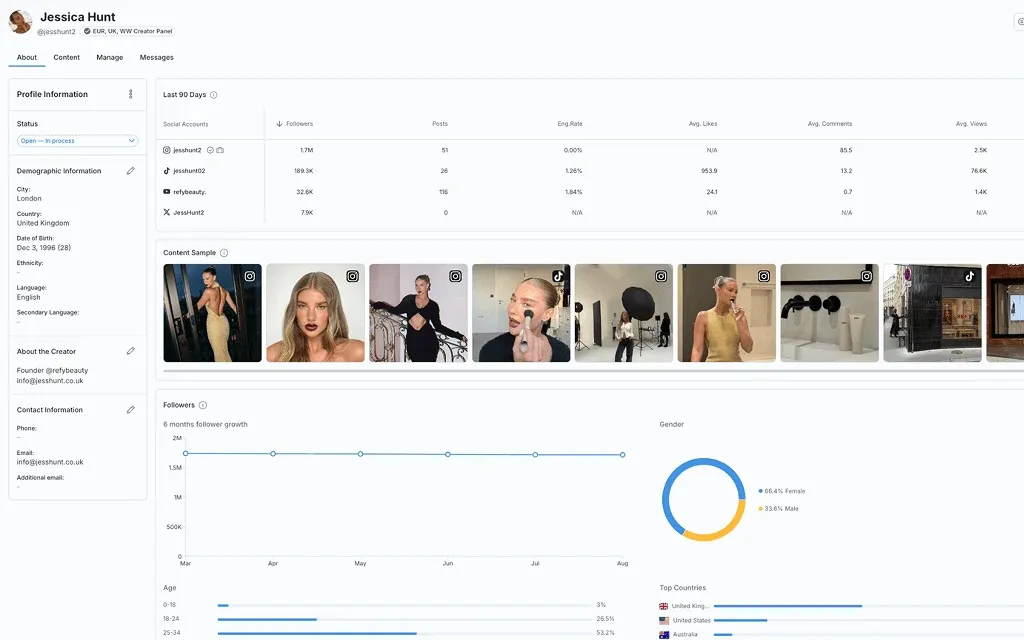
CreatorIQ’s vendor-published creator-management interface. Image source: CreatorIQ.
CreatorIQ’s influencer CRM brings contact details, custom attributes and campaign information into a private creator network. It also describes collaborative tasks, creator communication and authenticated audience data.
What to evaluate
- Contact, attribute and campaign information in the creator record.
- Task collaboration across the team.
- Audience and performance evidence from authenticated creators.
Buying consideration: build the demonstration around your brand and agency structure. Test access boundaries and a creator working with more than one internal team, then confirm what a colleague can see and edit at each handoff.
Pricing and access: Request CreatorIQ pricing, including brands, users, integrations and any separately configured products.
6. Modash
Best for: teams needing shared creator records, notes and relationship status.
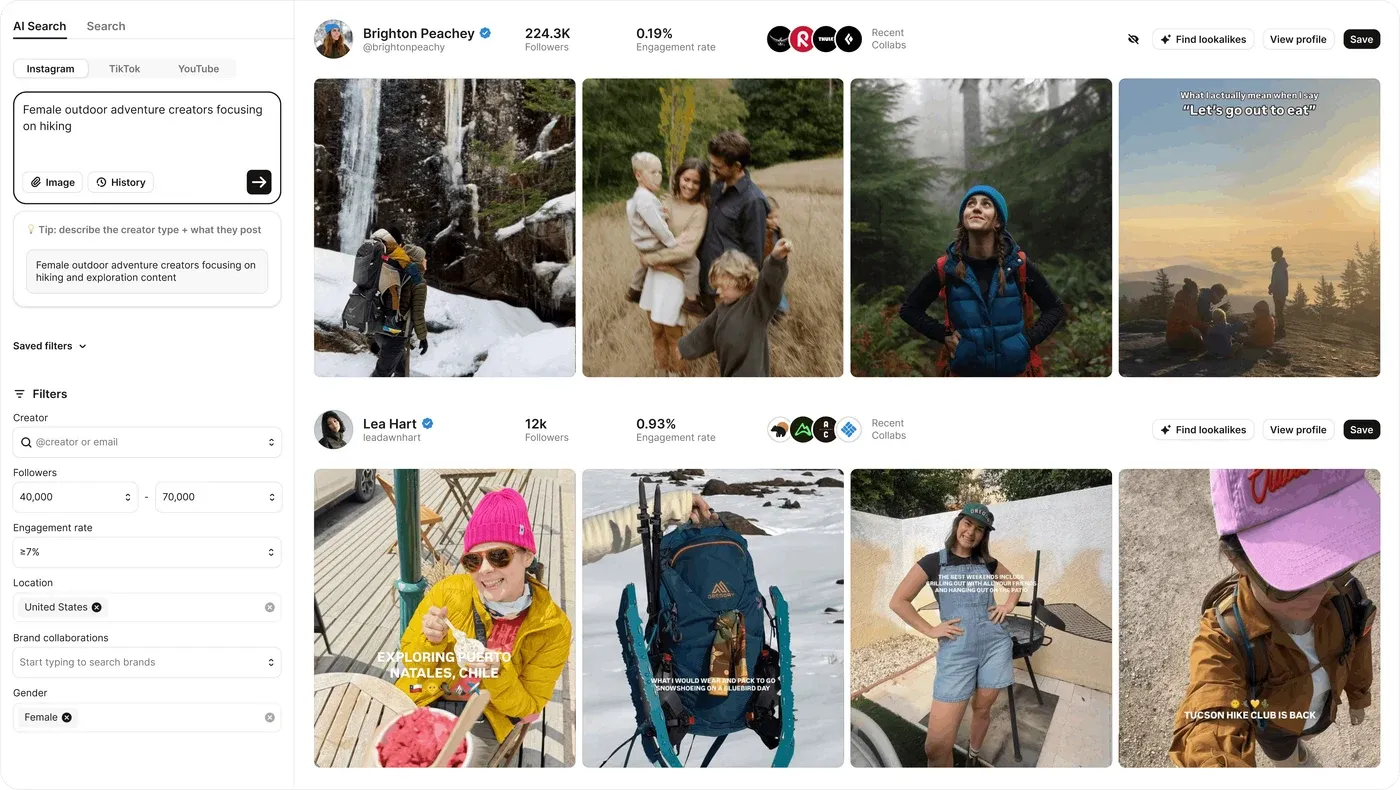
Modash’s vendor-published discovery view, the research step before relationship management. Ask for the current management view in your evaluation. Image source: Modash.
Modash’s influencer management product describes a shared creator database with notes, conversation history, custom fields, labels, status and ownership. Past campaign context can inform the next collaboration.
What to evaluate
- Shared notes and relationship history.
- Custom fields, owners and status for the next action.
- Prior campaign context when building a new shortlist.
Buying consideration: compare user access and the relevant creator, analysis and campaign allowances with your normal workload. Test a colleague taking over a creator from the management record, rather than evaluating only the discovery screen.
Pricing and access: Essentials is $199/month billed annually, or $2,388 for the year. Compare Modash plans for the management features, seats and usage you require.
7. Influencity
Best for: teams grouping social accounts, notes and communications in an influencer relationship manager.
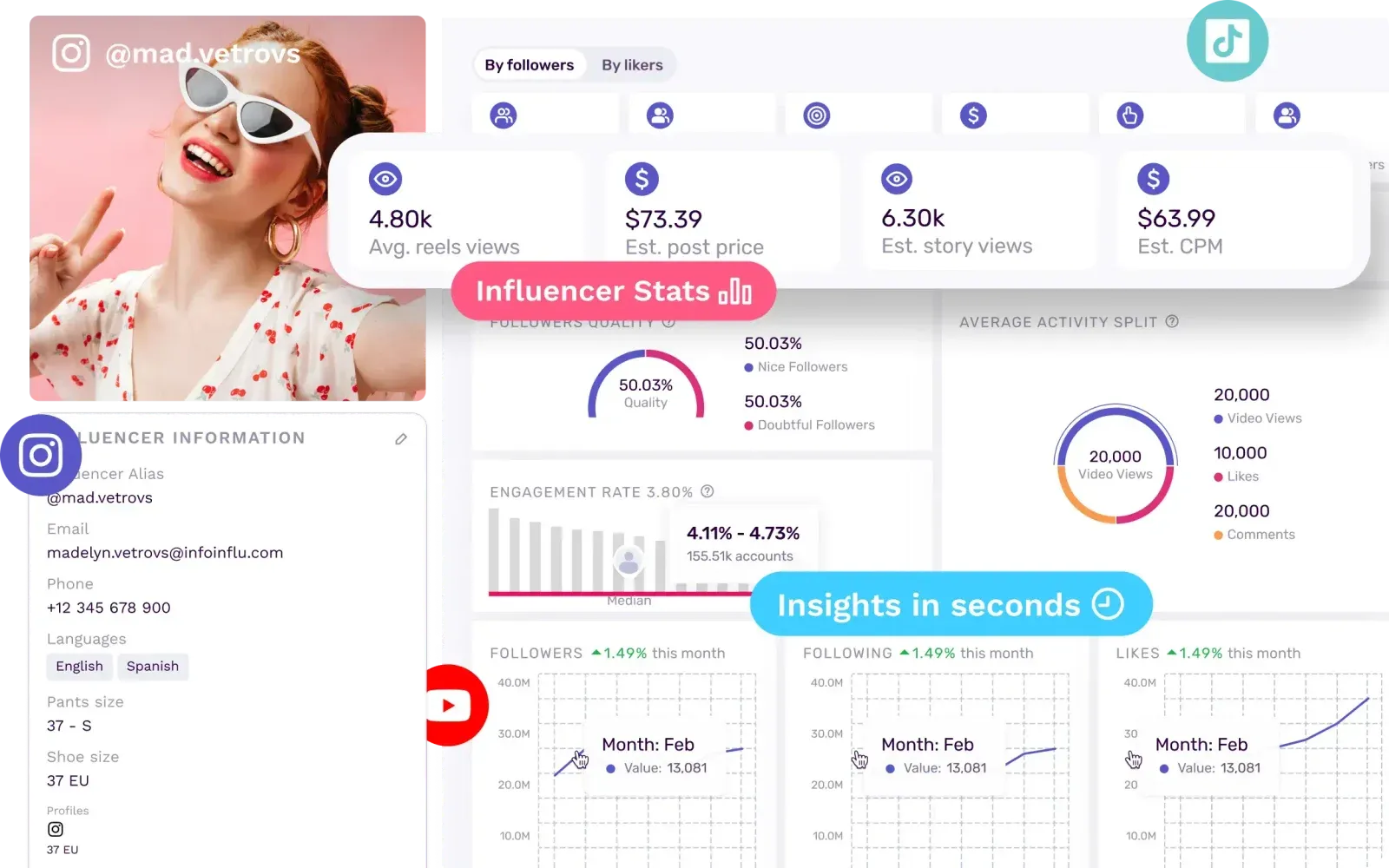
Influencity’s vendor-published creator record and metric panels. Review its notes and communication views separately during the demo. Image source: Influencity.
Influencity’s IRM product groups creator information, social accounts and relationship context. Its communication help guide explains email integration and conversation visibility for brand account users.
What to evaluate
- Multiple social profiles attached to one creator record.
- Notes and relationship information for the team.
- Shared communications through an integrated mailbox.
Buying consideration: test the export, not just the saved record. The linked help guide says exported influencer data does not expose emails, notes or pricing information. Confirm how your team would retain the required relationship history when sharing research outside the account or moving systems.
Pricing and access: Compare Influencity plans for IRM, analysis, email and campaign requirements. Monthly and annual subscriptions are available.
How to test an influencer CRM with your team
Choose one creator and run a complete handoff with the colleagues who will use the system. Use a real brief or a clearly labeled trial scenario. The point is to expose what gets lost between research, negotiation and reporting.
Preserve the reason for selection
Ask the researcher to save the creator’s accounts, their proposed campaign role, the audience-fit hypothesis and the sources supporting it. Include the research date, the vetting decision and any unresolved questions.
Then ask a teammate who did not build the shortlist to explain the recommendation from the record alone. They should be able to say why this creator fits and what still needs a check. If they need a separate message to understand it, establish which field, note or linked document will hold that reasoning.
Make the next action clear
Assign an owner and record the last contact, the agreed next step and its due date. Distinguish a creator’s identity from the terms of a particular campaign: the same person may have different deliverables, rights and rates on the next collaboration.
Test an owner change while the conversation is in progress. Confirm which messages stay visible, where call notes belong and how a new manager finds the current agreement. The creator communication guide explains the information a handoff needs.
Carry the agreement into campaign planning
Record deliverables, dates, cost, approval requirements and the relevant contract or rights document. Ask the vendor which steps happen inside the product and which depend on an integration or an external document. Saving an agreement, obtaining a signature and tracking its status are separate capabilities to verify.
Bring results back to the relationship
Attach published content and its reporting period to the campaign. Compare results with the original audience hypothesis and record the renewal decision. Keep the context required to interpret the numbers: platform, format, source, measurement date and any paid distribution.
A relationship history becomes useful when the next manager can explain what the team learned from the last collaboration. Our campaign reporting and workflow guide develops this evaluation in more detail.
What belongs in a shared creator record?
Use this as a starting point for the trial. These are evaluation requirements, not a claim that every platform above supplies every field.
| Record | Information to retain | Handoff question |
|---|---|---|
| Creator identity | Social accounts, contact route and representative | Are these accounts and contacts associated with the same person? |
| Selection evidence | Campaign role, audience fit, sources, date and vetting outcome | Why is this creator on the shortlist? |
| Relationship state | Owner, last conversation, status and next action | Who acts next, and when? |
| Campaign agreement | Deliverables, cost, dates, rights and approval requirements | What has actually been agreed? |
| Review and history | Published assets, measurement context, result and renewal decision | What should the next campaign learn from this one? |
Finish with an export test and an access test. Confirm what a client, external partner and departing teammate can see, and whether the required history remains usable outside the interface. Price the same scenario using seats, profile and contact allowances, connected mailboxes, credits, integrations and payment-related charges where applicable.
Influencer CRM FAQs
What is an influencer CRM?
An influencer CRM stores creator relationships and the work around them: accounts, contacts, research, communication, ownership and campaign history. Vendors may call it creator management or influencer relationship management. Evaluate the retained information and handoffs rather than the label.
Which platforms connect discovery, shortlists, outreach notes and campaign planning?
Streamforge connects creator discovery and audience vetting with email outreach, assigned owners, deliverables with deadlines and reporting. Modash and Influencity document shared relationship information; CreatorIQ describes an owned creator network; Upfluence and Aspire organize communication and campaign work. Test the full path with your required notes, permissions and plan before choosing.
How can a team preserve why a creator was selected?
Save a short selection rationale with the audience hypothesis, evidence links, review date and unresolved questions. Keep that record accessible during planning and the final review. Ask a new teammate to explain the choice from the saved information; that is the most direct test of whether the handoff works.
When should a team move beyond a spreadsheet?
Consider a CRM when ownership is unclear, research is duplicated, conversations become difficult to hand over or campaign history is hard to retrieve. Start by documenting those failures, then test whether a platform resolves them with the people who will use it.
Can a general sales CRM manage influencer relationships?
It can hold contacts, notes and tasks. Evaluate how you will connect creator social accounts, audience research, campaign deliverables and content results. If those records live elsewhere, test the integrations and handoffs before committing to the setup.
Book a Streamforge walkthrough and bring a creator relationship your team wants to follow from research through the campaign review.